Buzzlogo
Blank Glass Sublimation Cutting Boards - 11.5" x 15.5" (Clearance Set of 3)
Blank Glass Sublimation Cutting Boards - 11.5" x 15.5" (Clearance Set of 3)
Couldn't load pickup availability
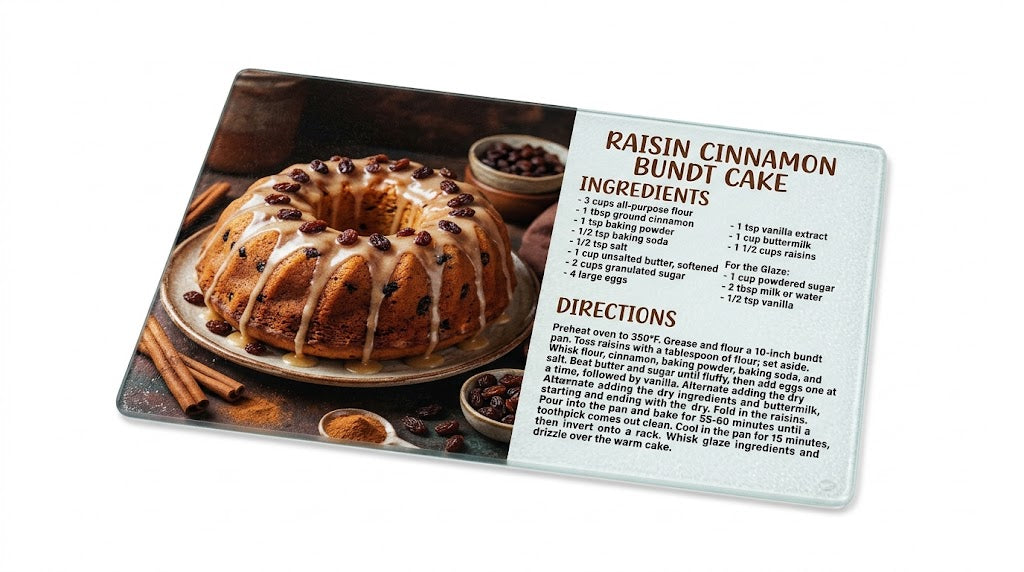
Create stunning personalized kitchenware with this set of 3 textured glass cutting board blanks. Features a white sublimation coating for vibrant, permanent color transfers. Includes non-slip rubber feet.
Product Details
Product Details
Enhance your custom product line or gift shop with our 11.5" x 15.5" Sublimation Glass Cutting Board Blanks. Engineered specifically for heat transfer printing, these textured tempered glass boards feature a smooth, bright-white coating on the back that produces brilliant, full-color press results every time.
Whether you're printing custom recipe boards, festive holiday designs, or personalized housewarming gifts, these high-density glass blanks deliver professional durability and crisp image clarity.
Dimensions: Approx. 11.5" x 15.5"
- Thickness: 1/8" (3mm) with 1/8" radius smooth corners
- Material: Textured Tempered Glass with White Sublimation Backing
- Printing Area: Single-sided (printed on the back coating)
- Compatibility: Suitable for sublimation dyes and toner heat transfer printing
- Care Instructions: Hand wash only (do not place in dishwasher)
Sizes
Sizes
- 11.5"x15.5"x0.125"
How it works
How it works
General Sublimation Process
Recommended Equipment & Accessories
- Sublimation Printer loaded with sublimation ink
- Standard Flat Heat Press (Swing-away style recommended)
- Nomex Felt Pad or Heat-Resistant Felt Pad
- Heat-Resistant Tape
- Uncoated Blowout Paper
- Heat Gloves
Recommended Settings
- Temperature: 390°F – 400°F (198°C – 204°C)
- Time: 4.5 – 5 minutes (270 – 300 seconds)
- Pressure: Light-to-Medium
Step-by-Step Sublimation Instructions
Preheat & Calibrate Press
Set your heat press to 390°F – 400°F and timer to 4.5 – 5 minutes.
Place the Nomex felt pad directly on the lower platen.
Adjust the press pressure to light-to-medium over the felt pad.
Caution: Keep the pressure light to avoid cracking or breaking the glass substrate.
Print the Artwork
Print your design onto sublimation paper using a dedicated sublimation printer.
IMPORTANT: Keep image mirroring OFF (do not mirror) for glass cutting board transfers, as you will be pressing onto the white back coating and viewing through the clear front surface.
Layer the Setup (Bottom to Top)
Place a sheet of protective blowout paper over the Nomex felt pad.
Lay the printed sublimation transfer face-up on top of the blowout paper.
Position the glass cutting board coated (white) side down onto the printed image.
Lightly push down on the board to seat it into the felt pad.
(Optional) Secure the edges of the transfer paper to the back of the glass with heat tape to prevent shifting or ghosting.
Cover the entire glass board with another fresh sheet of blowout paper.
Press the Board
Close and clamp the press, running for the full 4.5 – 5 minutes.
Inspect the Sublimation Quality
Open the press and carefully lift off the top layer of blowout paper using heat gloves.
Look directly through the clear glass top to check the image's color saturation without removing the paper.
If the transfer looks light, replace the top blowout paper and press for an additional 1 – 2 minutes.
Cool & Finish
Put on heat gloves, remove the cutting board from the press, and gently peel away the transfer paper while hot.
Place the board on a heat-resistant surface and let it air-cool completely before handling further.
Processing and Shipping
Processing and Shipping
- Ships in 2 days.
- Free Ground Shipping.
Share